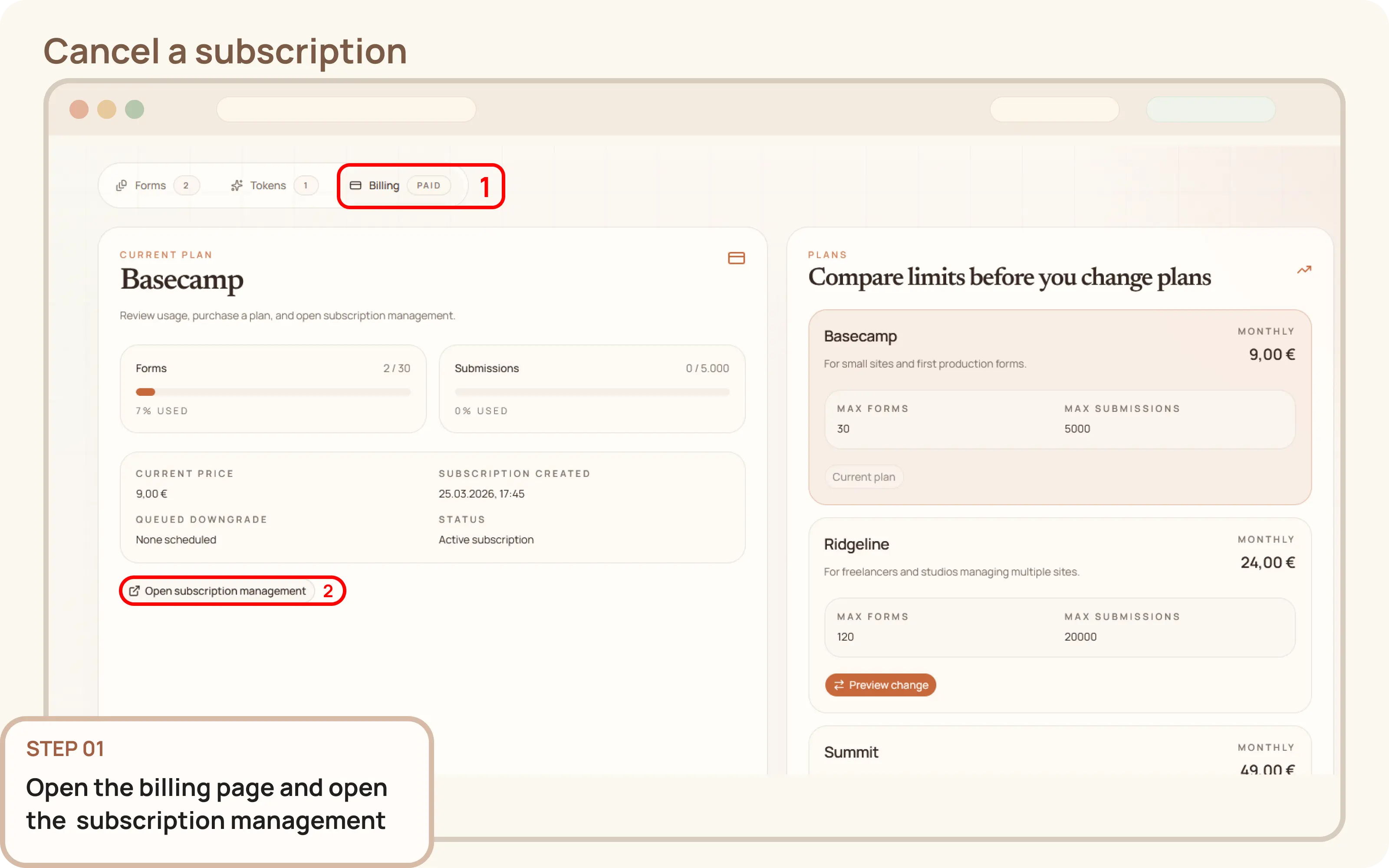
Open the subscription management
- Go to
Workspace > Billing. - Click
Open subscription managementto launch the Paddle billing portal in a new tab.

Documentation
Guides and public API reference
Documentation
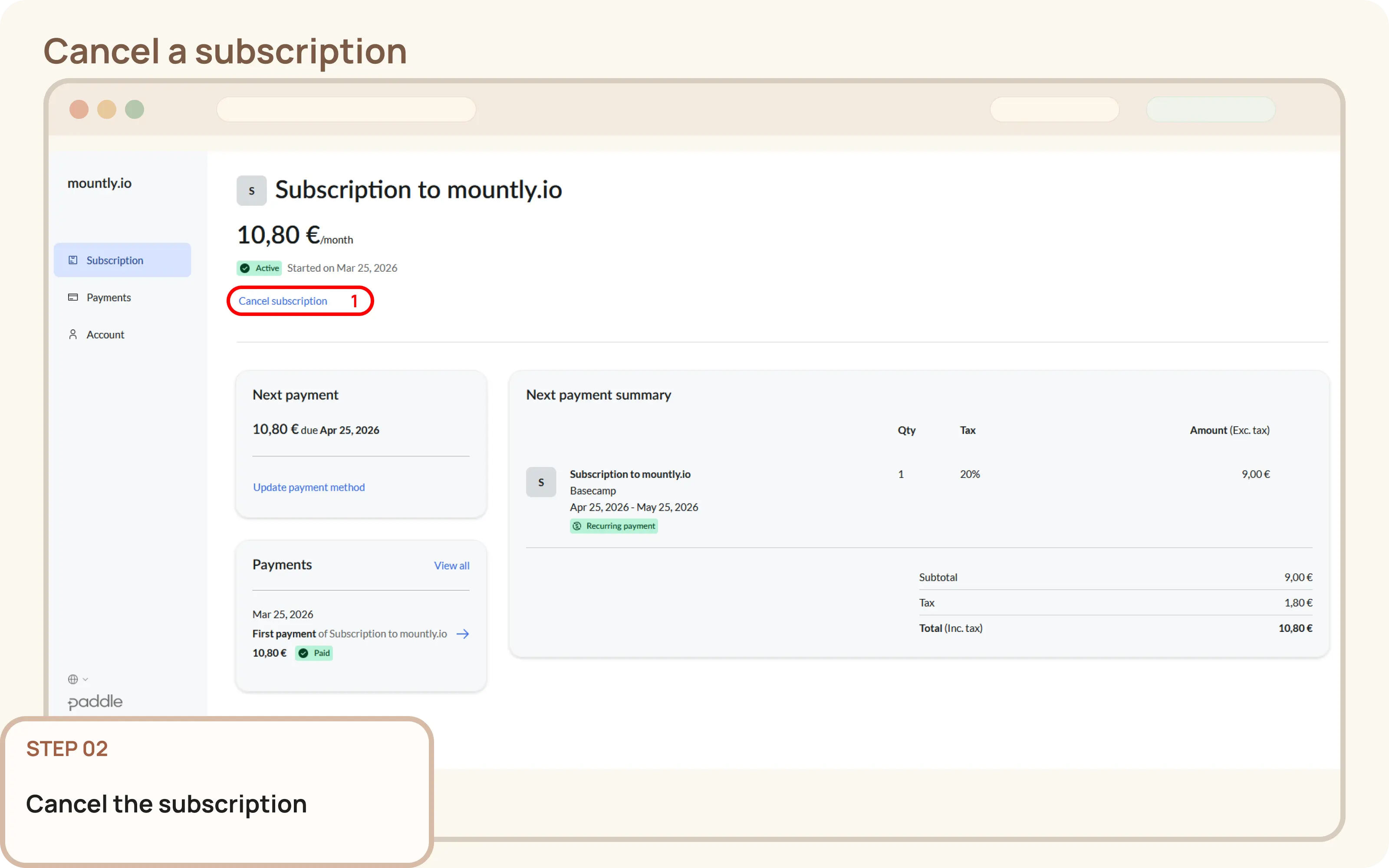
This guide explains how to cancel a paid Mountly subscription and let your workspace return to the free plan when the billing period ends.
Workspace > Billing.Open subscription management to launch the Paddle billing portal in a new tab.In the billing portal, find the option to cancel the subscription or stop automatic renewal for the current plan.