Select a subscription plan
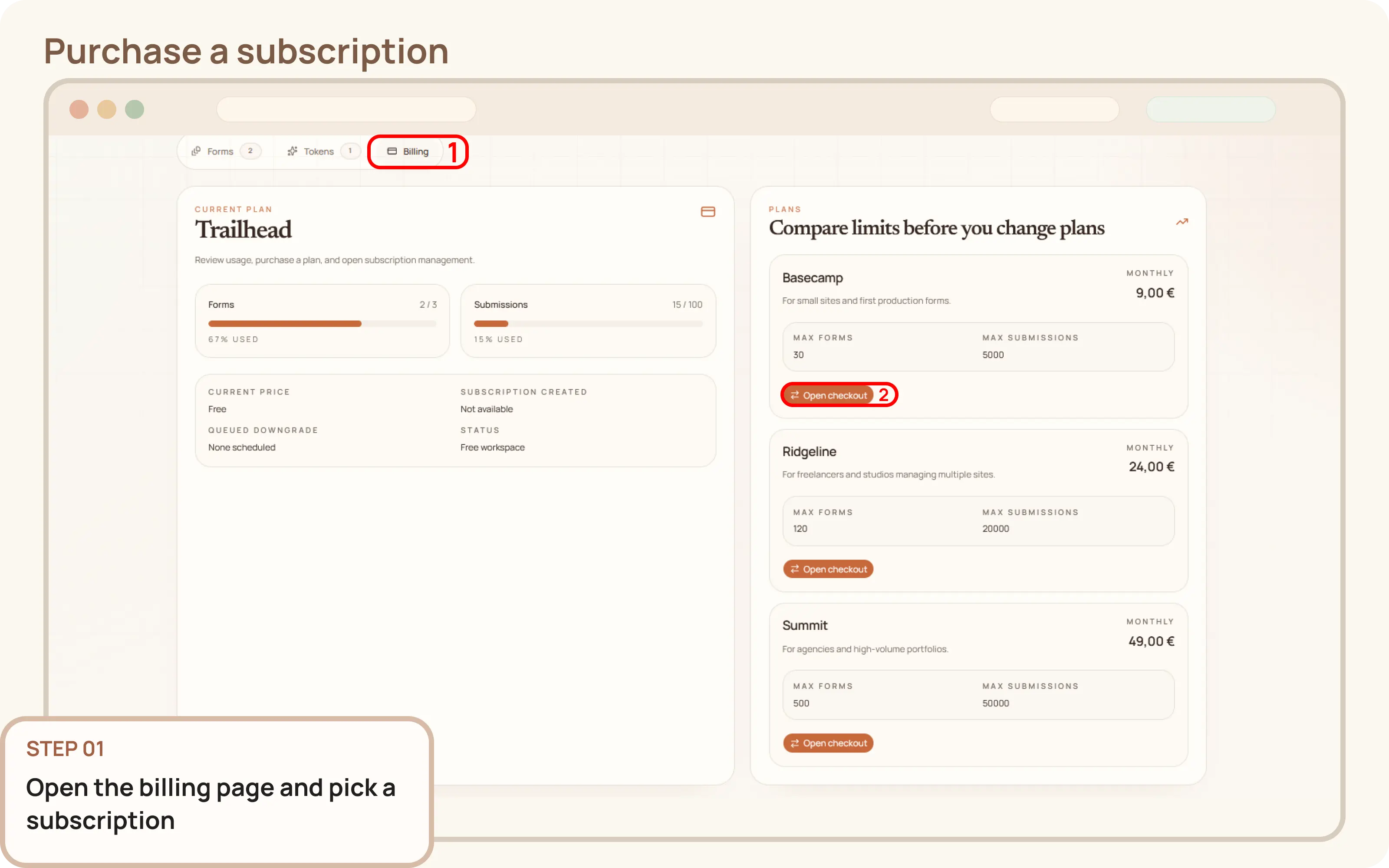
Select the plan with the correct limits for your needs, if you need a custom plan contact us via Discord or email.
- Go to
Workspace > Billing - Select the subscription plan you want to purchase

Documentation
Guides and public API reference
Documentation
This guide explains how to purchase your first paid Mountly subscription from the workspace billing page.
Select the plan with the correct limits for your needs, if you need a custom plan contact us via Discord or email.
Workspace > BillingComplete your checkout following the instructions from Paddle, which is our payment processor.
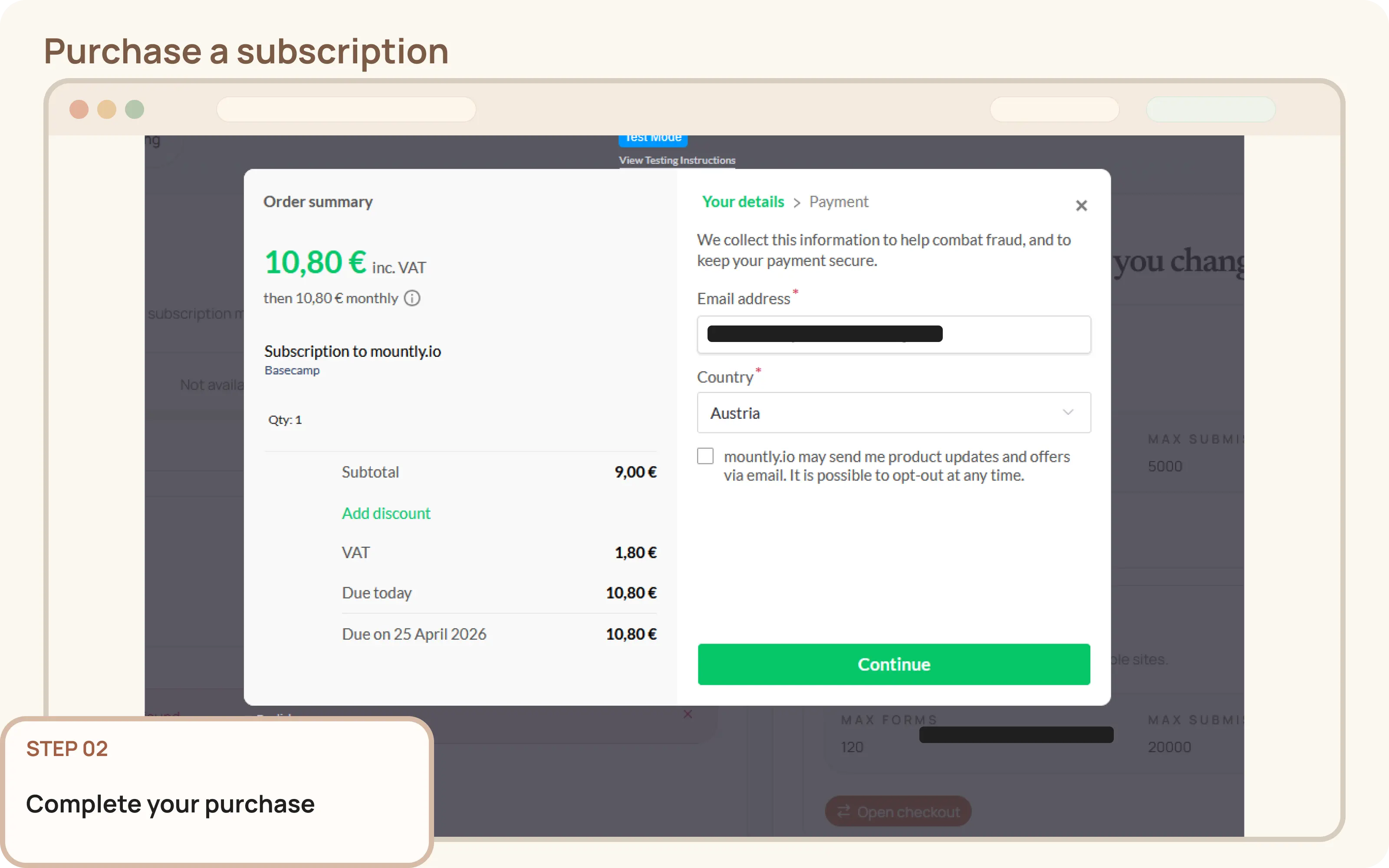
After checkout completes, return to Workspace > Billing and refresh the page.
Confirm the workspace now shows the paid plan and an active subscription status.